How to make a payment?
Log in to Online Check Writer and click Home.
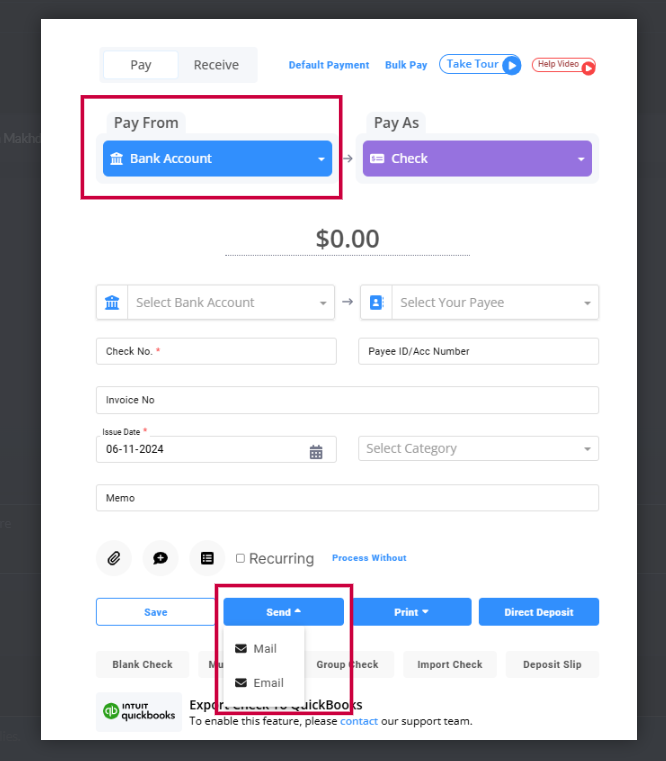
You can see Pay From, which shows the payment sources Wallet, Bank Account, Credit Card, and Cloud Bank, and Pay As, which shows the payment methods.
Select your preferred payment sources and payment method.
Add the Amount and fill in the details and click the Send- Mail , Email & ACH/DD NOW button accordingly.
If you want to make another payment, click the New Payment and re-do the steps.